





Ethan’s Taxonomy SEO Plugin
Part of my Free WordPress Plugins and Themes section.
v2.1.1
WordPress lets you set an SEO-polished title, meta description, and canonical URL for your posts and pages without much trouble. Plugins like All-in-One SEO and Yoast help you even more.
But categories and tags? Not so much.
If you’ve ever wanted real control over how a category archive or tag archive shows up in search results–meaning, its own title tag, its own snippet, social tags, whether it gets indexed at all–you’ve probably found yourself stuck, or three plugins deep into something built for post-level SEO that only sort of applies to taxonomy pages.
Or looking at a bunch of paid products that do way more than you need them to and cost a small fortune for what should be something so simple!
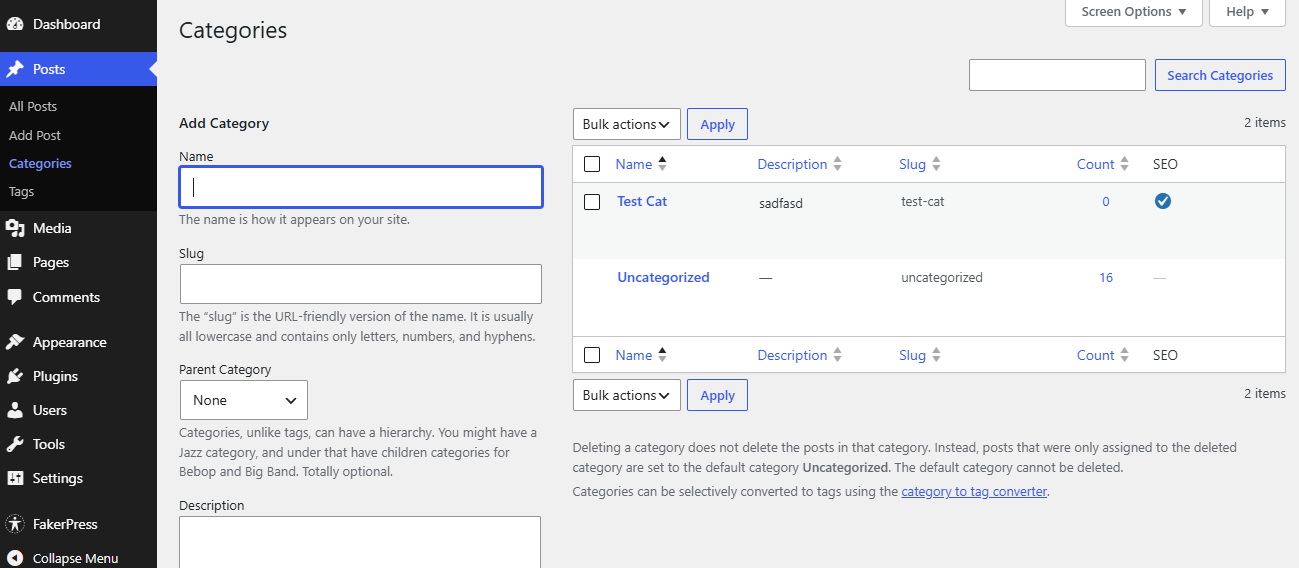
That’s the gap ETSEO fills. It drops a full set of SEO fields directly onto the Edit Category and Edit Tag screens (and Add New screens too), so your taxonomy pages get the same level of control your posts already have.
What it adds
Once it’s active, every individual category and every tag gets these fields, right on its own edit screen:
- Title Tag: override the page title that shows up in the browser tab and in search results, independent of whatever WordPress or your theme/other plugins would generate by default.
- Meta Description: write your own snippet copy instead of leaving it to chance (or to whatever text WordPress happens to pull from the archive).
- Canonical Link: point search engines to the URL you actually want indexed, useful if a category overlaps with another URL or you’re managing duplicate content across a larger site.
- Robots (NOINDEX / NOFOLLOW): two simple checkboxes to keep a specific category or tag out of search results entirely, or to stop it from passing link equity, without touching your site-wide or taxonomy-wide robots settings.
- Body Class: add a custom CSS class to the
<body>tag on that one archive page only, so you can style or target it individually in your theme’s CSS. (This is already mostly possible, but this just makes it friendlier.) - Body ID: Don’t want to use a CSS class for some reason? Use an ID instead (or as well).
- Custom
<head>HTML: a wide-open text field for anything else you want to drop into the<head>of that specific category or tag page: Open Graph tags, JSON-LD structured data, a stray verification meta tag, whatever your specific needs require. - Social Tags: Added after the screenshot below was taken, the plugin now offers full page-level social tag customization options, including OG tags plus Twitter Card tags that automatically default to your OG info unless you select otherwise. Fast and easy.
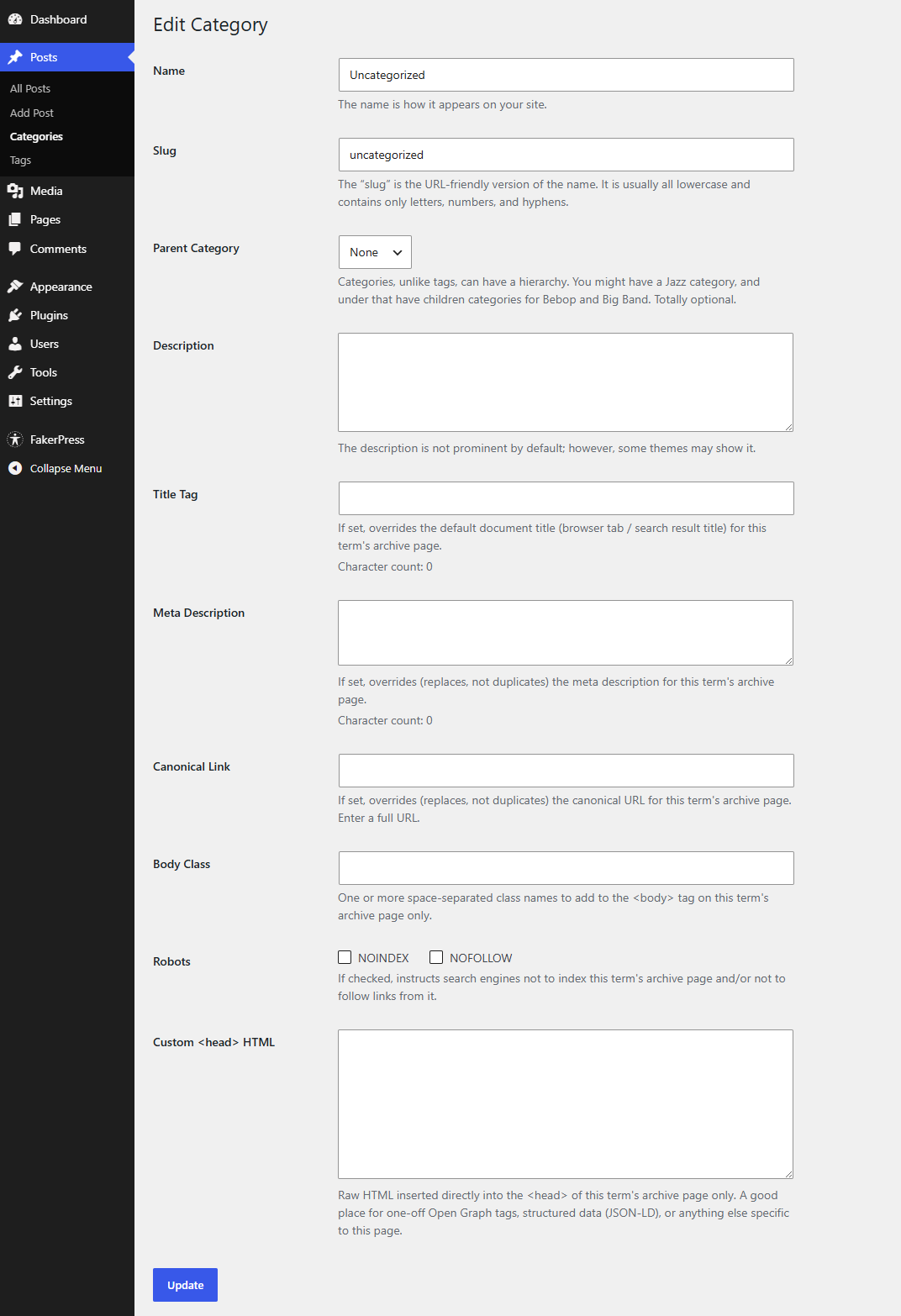
Every field is optional. If you leave one blank, WordPress just does what it would’ve done anyway.
Plays nicely if you’re using other SEO tools
ETSEO doesn’t assume it’s the only SEO plugin on your site. Title tags and robots directives use WordPress’s own shared systems for those (the same ones Yoast, RankMath, and the rest hook into), so there’s no fighting over who gets the final say.
Although you happen to have one certain SEO plugin that slaps a huge blurry upsell box across all of your category/tag admin pages, ETSEO gives you a box to disable that. Say no to small annoyances.
ETSEO also gives you the option to hide images that you put in your category/tag description fields that automatically render over the index table. Maybe you’ve never dealt with this, it’s kind of niche, but if you have, this is a huge convenience.
Meta descriptions and canonical links are trickier–WordPress doesn’t have a shared system for those–so ETSEO actually checks for an existing tag on the page and swaps in your override rather than just piling on a duplicate.
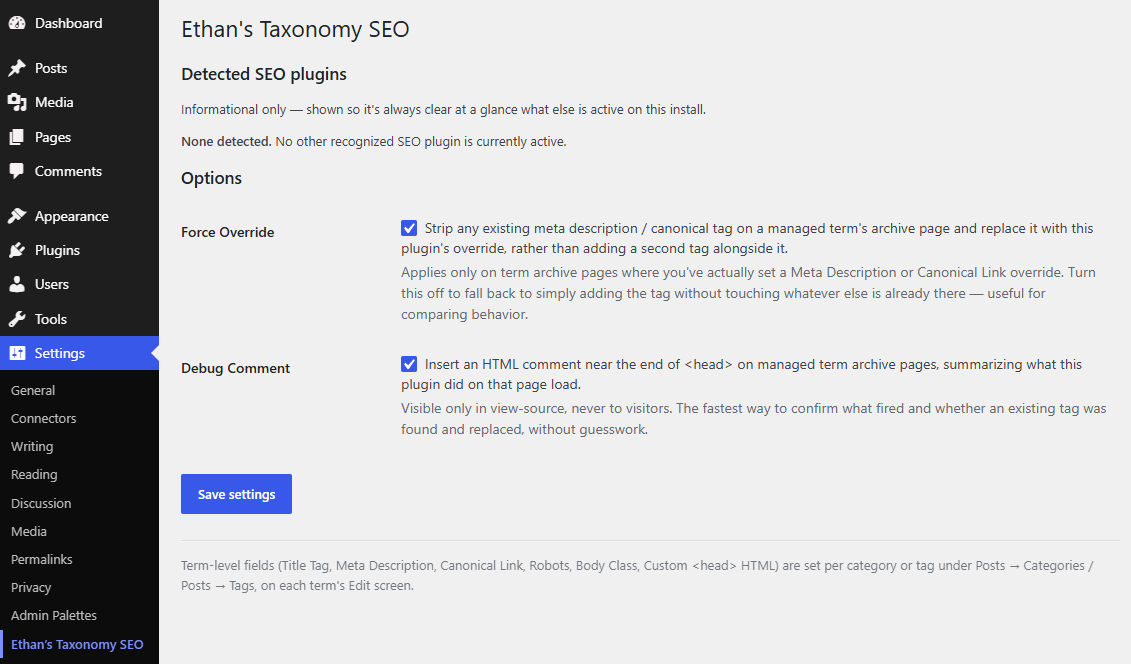
There’s a settings screen (Settings → Ethan’s Taxonomy SEO) where you can see which other SEO plugins it’s noticed running alongside it, flip that swap-instead-of-stack behavior off if you ever want to compare, and turn on a little debug comment in the page source if you want to double check exactly what fired on a given page.

Where to find it
- Per-category / per-tag fields: Posts → Categories, or Posts → Tags, then Edit (or Add New) on any individual term.
- Plugin-wide settings: Settings → Ethan’s Taxonomy SEO.
No configuration required to get started — install it, edit a category, and the fields are just there.
Good to know
Values are stored cleanly as WordPress term metadata. Nothing exotic and nothing that’ll leave orphaned junk behind if you ever deactivate it. The custom <head> HTML field is intentionally wide-open and powerful, so it’s limited to Administrator accounts.
Please note that this is presented as-is with no warranty or support because I am just a guy online offering you free stuff. Refer back to the full disclaimer here.
If you find this useful I would love to know your thoughts and comments. If you are a commercial company with a large tool budget, if you want to insert this as a $200 line-item in your $50,000 expense request, I’d be eternally grateful. But hey, I just hope you get some use out of it and I’d love a thank you email if you do. Contact me here.
Download Link
DOWNLOAD ETHAN’S TAXONOMY SEO PLUGIN
Have a nice day!