




View Source: Free WordPress Theme
Part of my Free WordPress Plugins and Themes section. This one may be sort of a gag, but I do have some useful things too!
Every WordPress theme wants to look like a website. This one wants to look like what your browser shows you when you want to investigate that website and right-click “View Page Source” to see the code.
The View Source theme renders your entire site–every post, page, menu, etc.–kind of as if you’d popped open your browser’s raw markup viewer. Headings look like plain text with <h2> tags sitting around them. Links look like plain old code, right up until you click one and it actually works. Here’s in the style of Chrome dark mode:
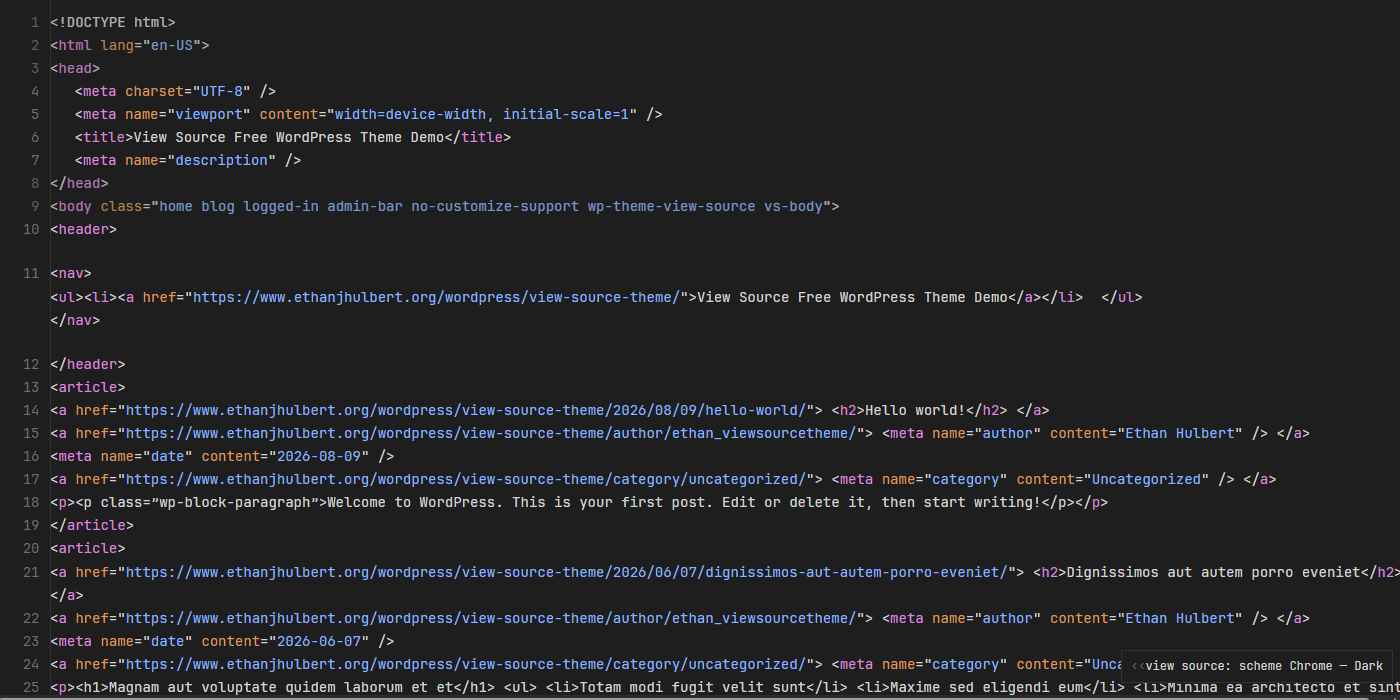
It is (mostly) fully functional; it just looks like it isn’t.
What’s actually going on under the hood
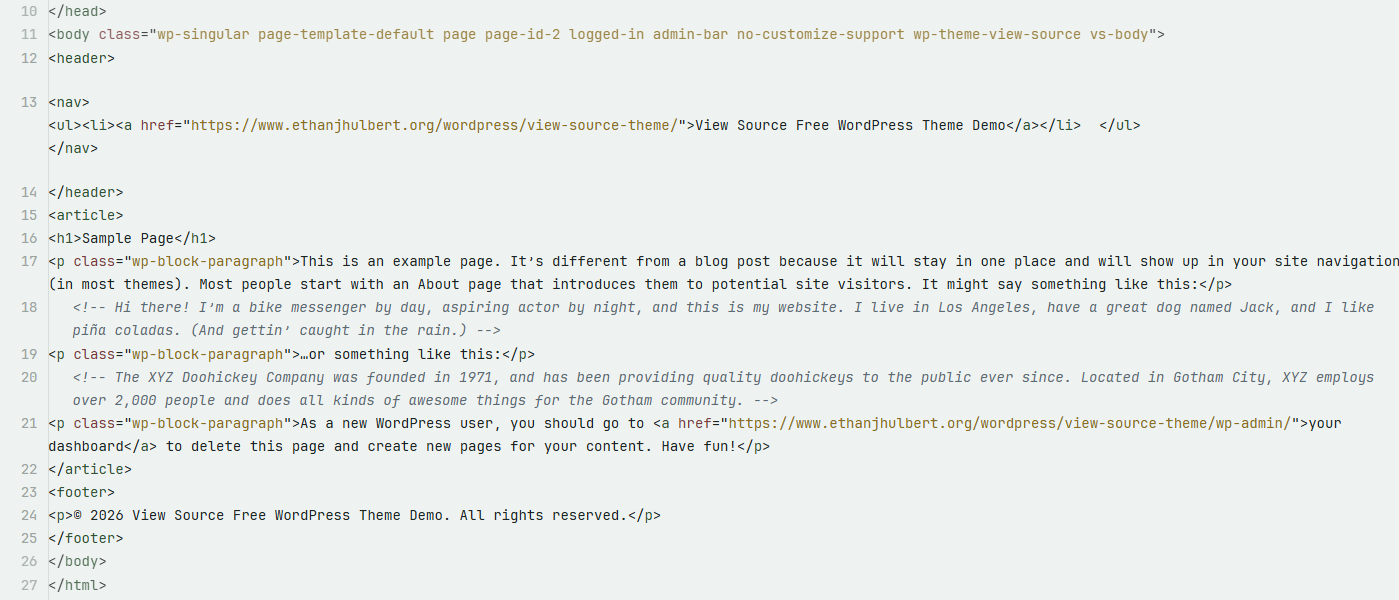
Every element on the page is exactly what it claims to be! Real headings, real links, real list items. The theme adds a second, decorative layer on top of that: the literal, syntax-colored text of each element’s own opening and closing tag, laid out with line numbers running down the left edge like an actual source view. Screen readers and search engines see a completely normal, correctly structured page. Everyone else just sees code.
Again, this is not looking at the view source page–this is looking at THE ACTUAL THEME ON DISPLAY:
Eight ways to view it
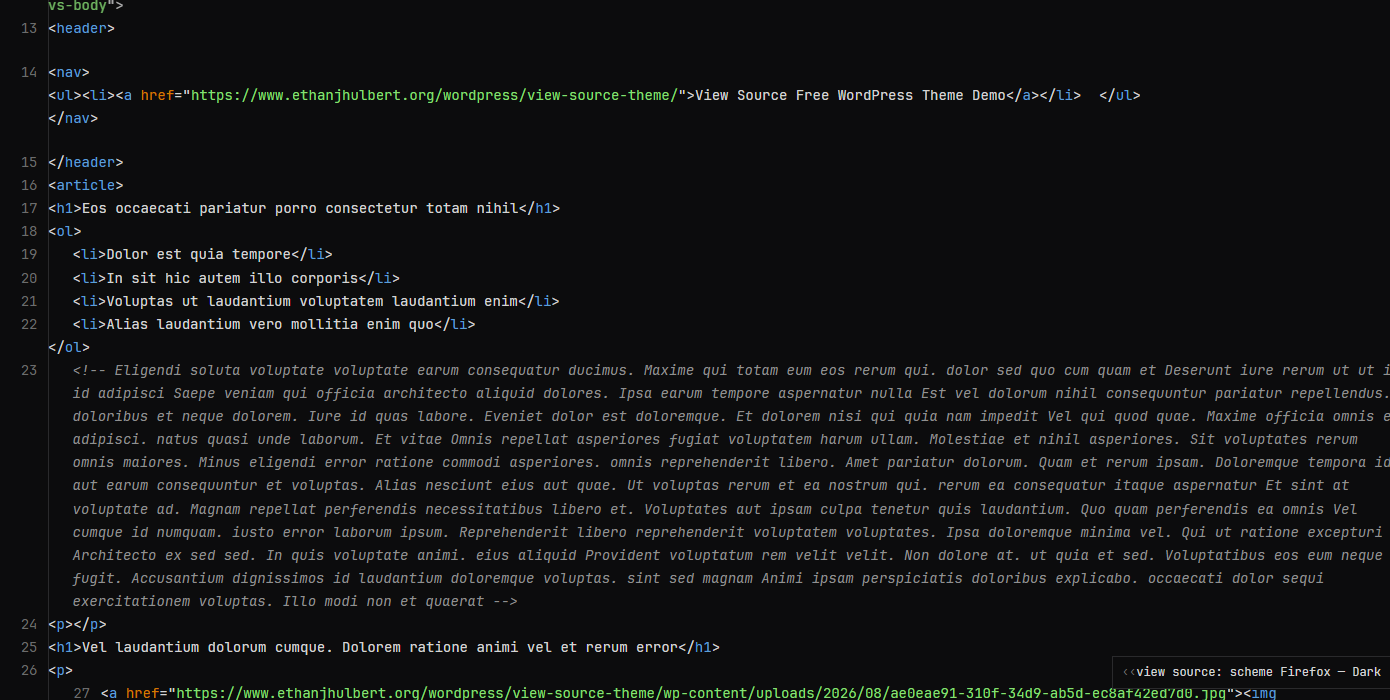
There’s a control in the corner where you can pick your scheme: Chrome or Firefox’s own view-source colors, a warmer palette of my own design for something a little more original, or two fully monochrome modes if you’d rather have zero syntax coloring at all. They are persistent.
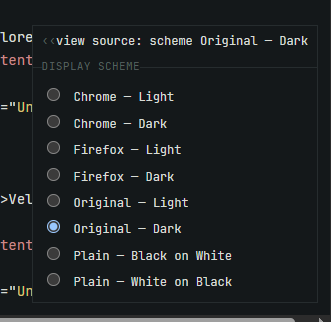
Here’s Firefox’s dark mode:
No photos, please
Every image on the site shows up as its own <img> tag, with the genuine file path sitting right there as the “code.” Click it, and it opens the actual image file directly. Nothing is ever rendered as a picture, on purpose, because that would rather defeat the point.
Search me!
The search field really is a working search field, you can click into it and type, it just doesn’t look like one. It’s styled to sit invisibly inside a fake attribute value, so it blends into the page completely until you go looking for it.
Good to know
Obviously, this is more of a novelty, gimmick theme, a weird theme that you will probably never use on a real important customer-facing website. I just wanted to make it. There may still be bugs because it is a very confusing theme to make. Sorry.
Please note that this is presented as-is with no warranty or support because I am just a guy online offering you free stuff. Refer back to the full disclaimer here.
If you find this useful I would love to know your thoughts and comments. If you end up using this, I’d really love to see it, please let me know. Contact me here.
Download Link
DOWNLOAD ETHAN’S VIEW SOURCE CODE WORDPRESS THEME
Have a nice day!