




Ethan’s Admin Palettes Plugin
Part of my Free WordPress Plugins and Themes section.
v3.2.1
WordPress ships with eight admin color schemes. That’s been true for years, and it’s fine, but eight options starts to feel thin once you’re logging into two dozen different sites every week and everything in wp-admin looks the same shade of blue-gray. Even if you already have another plugin that offers a few more, you run through them pretty fast.
EAP is a color scheme plugin built to permanently fix that. There are 75 additional dashboard color schemes right out of the box, plus a settings panel for easily building your own, as many as you want, from scratch.
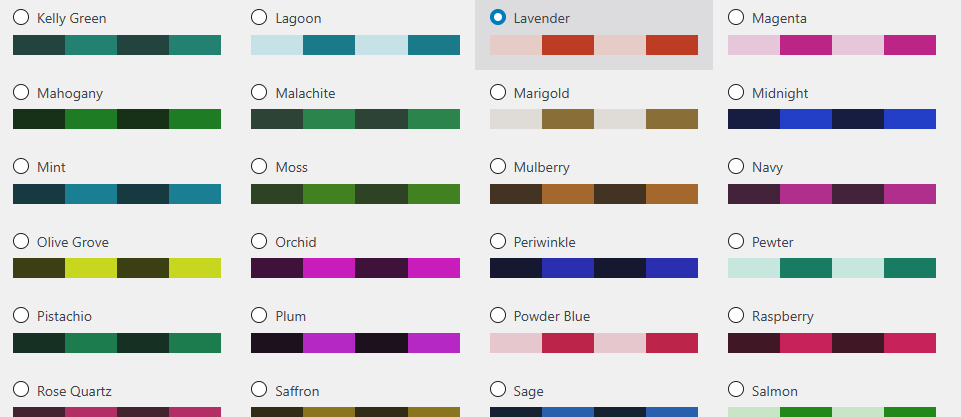
You now have endless design opportunities–you can even match the colors to the color scheme of your website. And I’ve built an intuitive Seed Color system to help you design on the fly without having to manually pick every single color for every single option — though you can still do that too, if you want.
Pick a menu color, a text color, a highlight, and a few others, and this plugin works out the rest of your WordPress dashboard’s color scheme on its own — the submenu backgrounds, the icon tones, the admin bar, the buttons, all of it. Every one of those computed colors is still an individual field you can override by hand if you want to. Or skip picking anything at all and choose from the 75 palettes that are ready to go.
Six seeds, thirty-two roles
The builder starts with six colors: a menu background, a menu text color, a highlight color for hover states, a color for whatever page you’re currently on, a notification-bubble color, and a background for the content area.
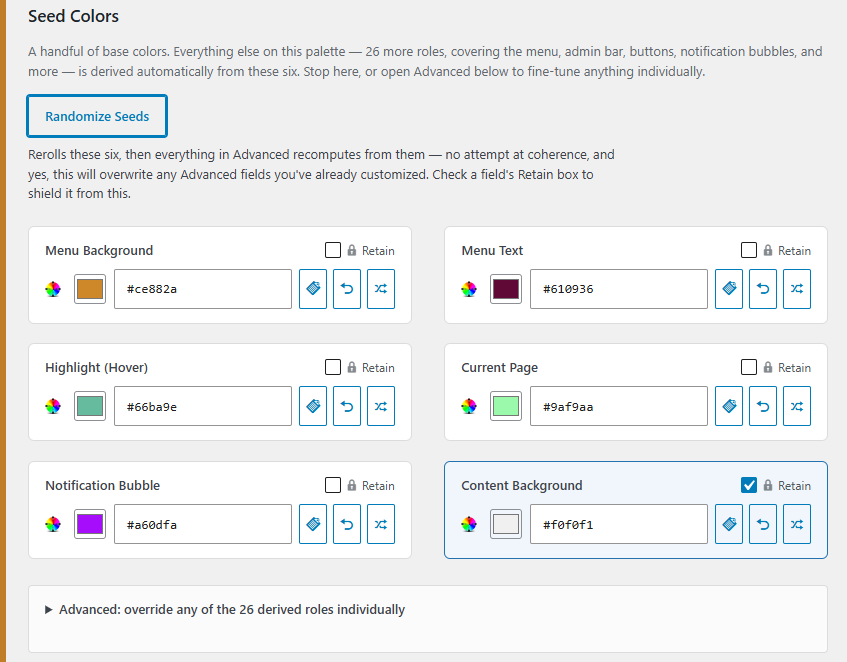
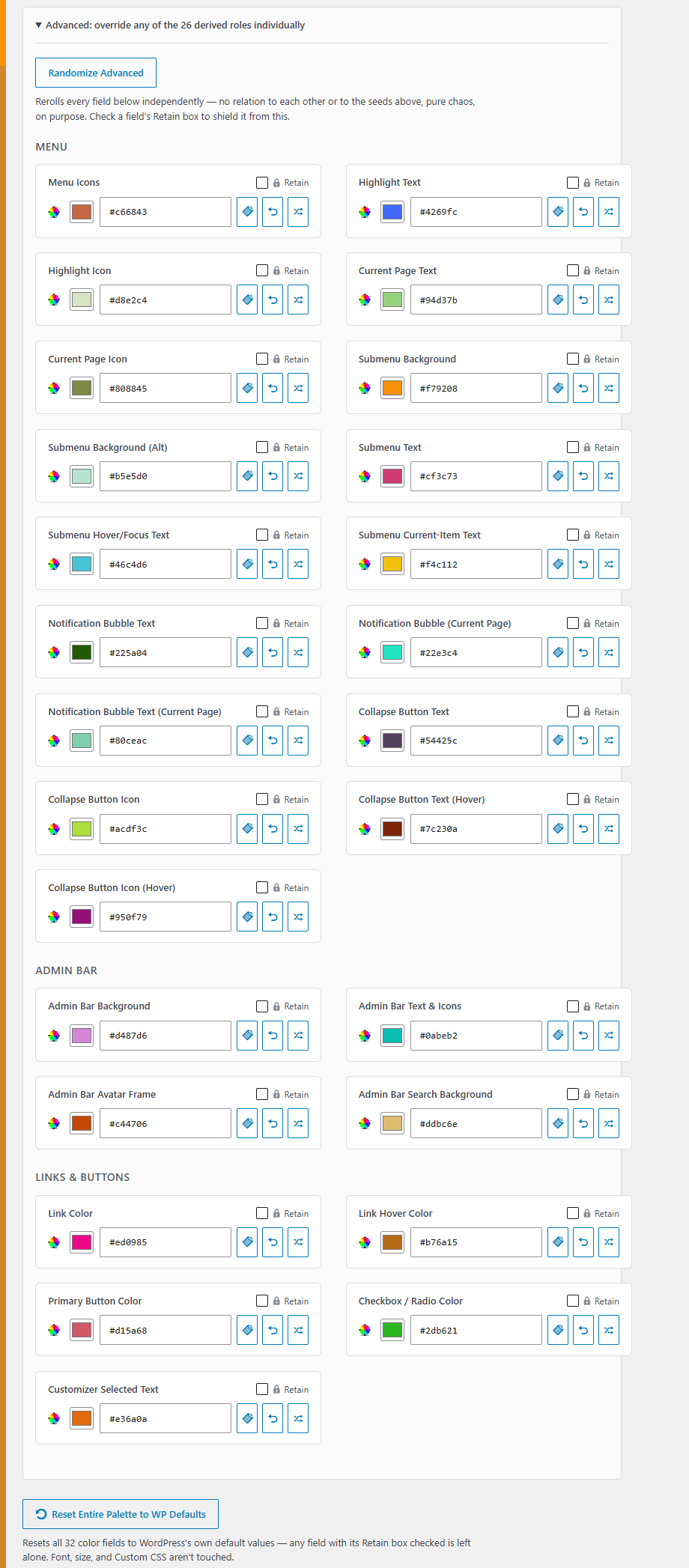
From those six, another twenty-six roles get computed automatically — submenu backgrounds, icon tones, the admin bar’s secondary flyout, link and button colors, checkbox colors, the customizer’s selected-item text — using the same kind of relationships WordPress’s own official color schemes are built on. An Advanced section lists every one of those twenty-six roles individually, and if you change a seed color everything derived from it updates right along with it, live, in both the fields and the preview.
Covers more of the dashboard than you’d expect
This isn’t just a menu-and-admin-bar recolor. It reaches into corners of wp-admin that usually get left alone:
- The collapse-menu button, with its own hover state
- A separate color for the page you’re currently on, distinct from the general hover color
- Notification bubbles that adapt their color depending on whether they’re on your current page
- The admin bar’s search field, avatar frame, and account flyout
- Primary buttons with a proper beveled look, matching WordPress’s own default styling
- The
wp-ui-*classes other plugins use to hook into whatever color scheme is active - The media library’s selection outlines, WordPress’s own tooltip-style Pointers, the Themes screen’s “active” badge, the Widgets chooser, the Customizer’s sidebar picker, the mobile/responsive menu toggle, and the classic editor’s dropdown menus
All stock WordPress UI, all colored to match, right down to the flyout submenu keeping its highlight color the whole time you’re hovering over it.
Every field is a real set of controls
Every one of the thirty-two color fields — seed or advanced — comes with the same small toolkit sitting right next to it: a native color-picker swatch, a plain hex value you can read and copy-paste without opening anything first, an icon-only Copy button, a button that resets just that one field to WordPress’s default, and a shuffle button that randomizes just that one field on its own.
There’s also a Retain checkbox on every field. Check it, and that field is shielded from both Randomize buttons and from the “reset everything” button — so you can lock in a color you like and then keep experimenting freely with the rest of the palette around it, without losing it. It doesn’t stand in the way of typing a new value in yourself, or of that field’s own reset or randomize button — it only blocks the bulk actions.
Speaking of which: two Randomize buttons exist for a reason. One rerolls the six seed colors and lets everything else recompute from them. The other, inside Advanced, rerolls all twenty-six derived roles completely independently of each other and of the seeds — no attempt at making them look coherent, on purpose, for when you want raw material to react to rather than a finished result. A “Reset Entire Palette to WP Defaults” button undoes either kind of experimenting in one click, and it, too, respects anything you’ve checked Retain on.
Type it your way, if you want to
Each palette can also carry its own font and its own custom CSS, saved right alongside its colors. Pick a font stack — sans, serif, mono, or a rounded option, all of them system fonts, nothing downloaded — and a base font size, and it travels with that palette. Switch palettes, and your typography switches too. Clone a palette, and its typography and CSS come along with it.
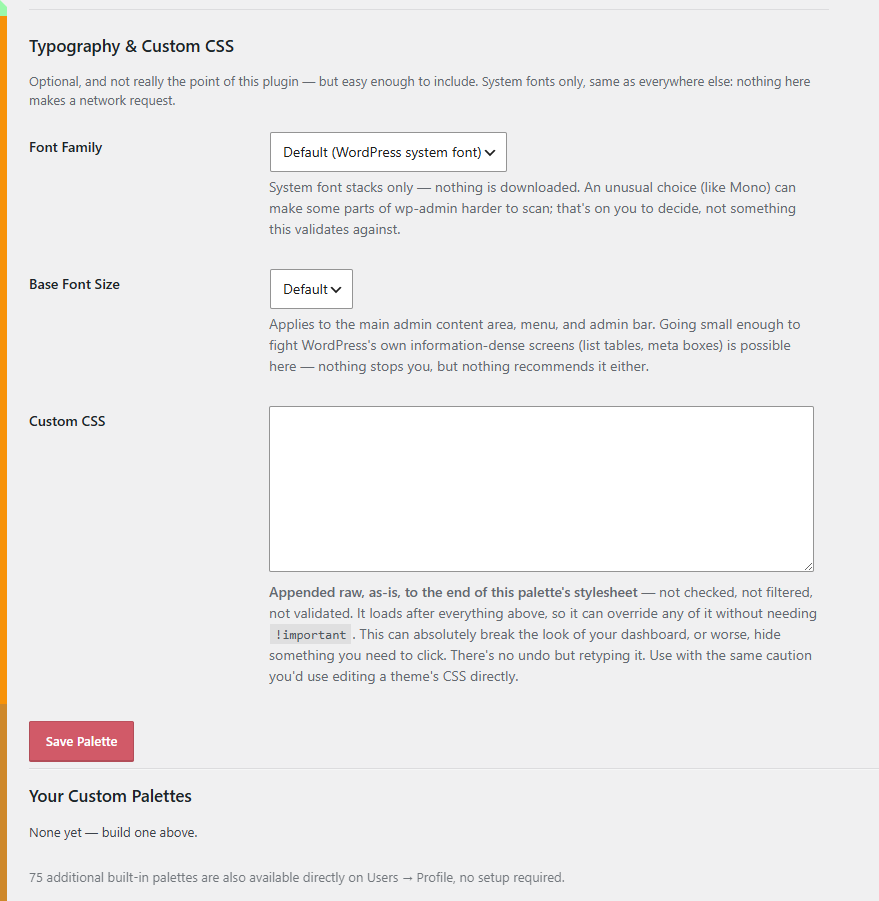
The custom CSS box is exactly what it sounds like: a plain textarea, appended straight onto the end of the palette’s stylesheet, no sanitizing, no filtering. This is only if you want to get really crazy with it. I don’t know if I recommend doing this because you can make your own admin dashboard get pretty fucked up if you don’t know what you’re doing with CSS! But the option is there for you. You are free to fail and succeed.
75 palettes, ready to go
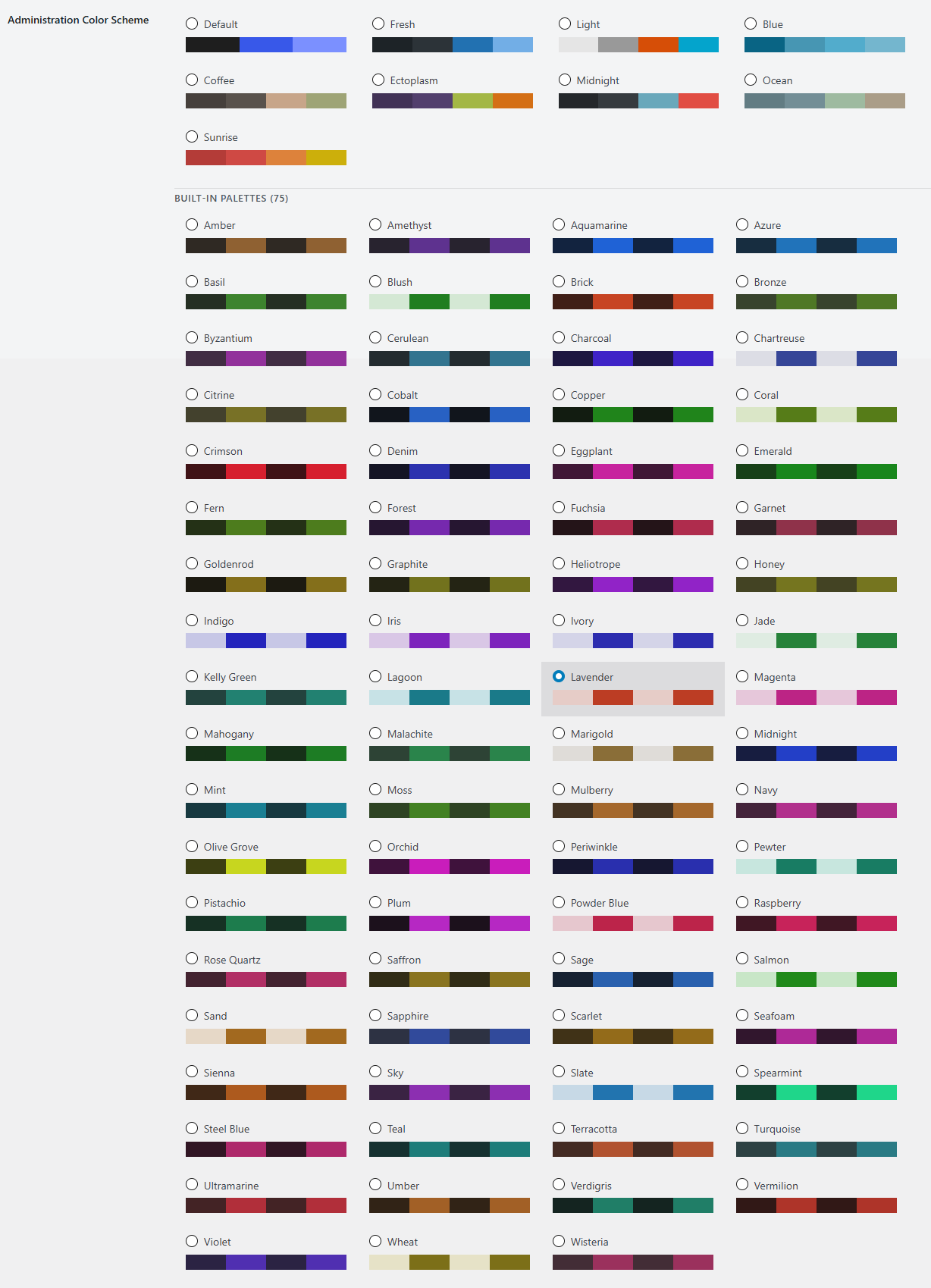
You don’t have to build anything to get value out of this. There are 75 named palettes bundled in — Vermilion, Sapphire, Terracotta, Wisteria, and so on — and you can just pick any of those and get on with your day. (You can also clone them and tweak them if one of them is just real close to what you’d like.)
Where to find it
The 75 built-in palettes show up immediately under Users → Profile → Admin Color Scheme, right alongside WordPress’s own defaults. Any custom palette you build appears there too, grouped under its own heading ahead of the built-ins.
To build one, go to Settings → Admin Palettes. Pick your six seed colors, watch the sidebar and admin bar on that very page update as you go, and open Advanced if you want to fine-tune anything further. You can also start from any existing palette — built-in or your own — and clone its colors, font, and CSS as a starting point instead of beginning from scratch.
Good to know
There’s no attempt to stop you from picking colors that clash, fonts that don’t suit your screen, or CSS that breaks something. It’s your dashboard. Go wild, buddy.
Retain checkboxes are a building aid for the session you’re in, not a saved property of the palette — they reset the moment you load a different palette through the clone dropdown, and they’re not written to the database when you save.
Deactivating the plugin leaves all your custom palettes in place. Deleting it removes them, along with their generated stylesheets.
Made mostly because I got tired of my own dashboard looking identical across every single site I manage, and thought other people juggling multiple WordPress installs might feel the same way.
Please note that this is presented as-is with no warranty or support because I am just a guy online offering you free stuff. Refer back to the full disclaimer here.
If you find this useful I would love to know your thoughts and comments. I just hope you get some use out of it and I’d love a thank you email if you do. Contact me here.
Download Link
DOWNLOAD ETHAN’S WP ADMIN PALETTES PLUGIN
Have a nice day!