




Ethan’s Add to Head and Foot WP Plugin
Part of my Free WordPress Plugins and Themes section.
v1.1.1
Need to add something to the <head> section of every page, or just one page, or the footer section of every page, or just one page? Hey, I got you!
Add something to one page
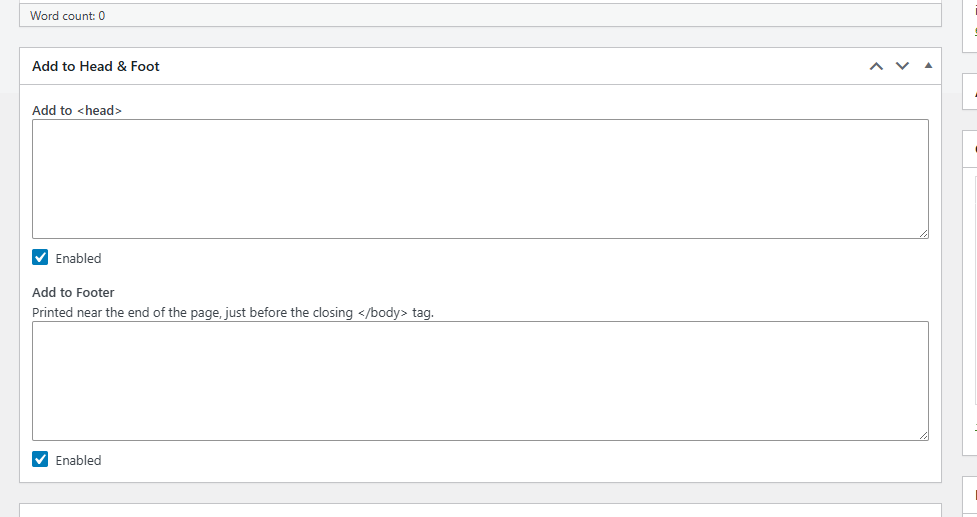
Open any post or page in the editor and you’ll find an “Add to Head & Foot” box below the content area. Two plain text boxes: one for the <head> section, one for the footer, right before the closing </body> tag. Type in whatever belongs there — a meta tag, a script, a style block — and it goes on that page only, exactly as written.
Or add it to every page at once
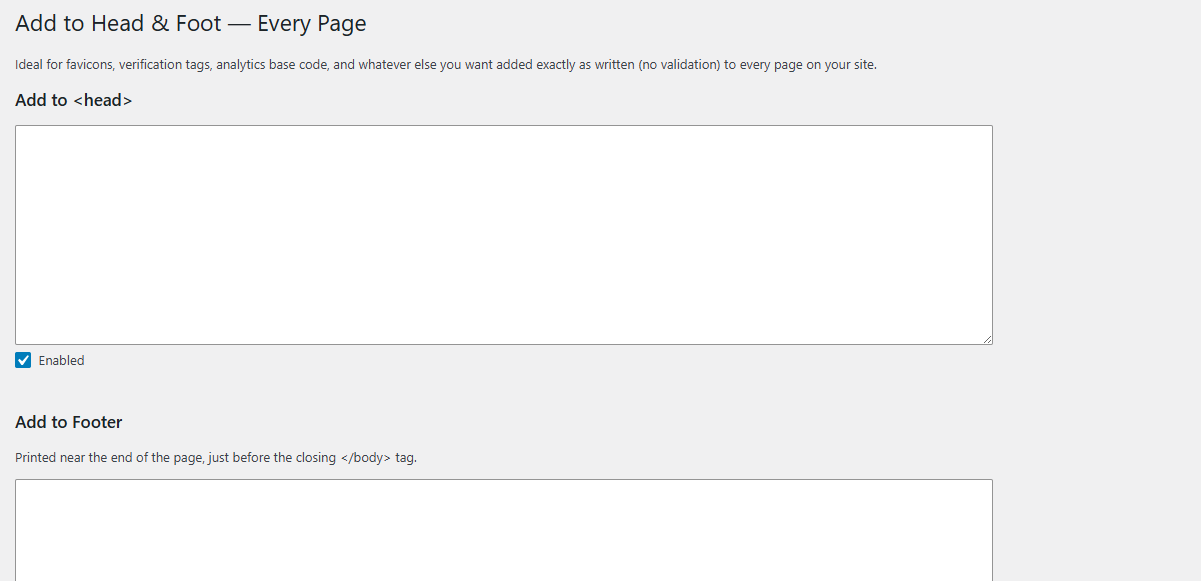
Under Settings → Add to Head & Foot, there’s the same pair of boxes, but for the whole site. This is the spot for a favicon, an analytics snippet, or a search console verification tag — anything that belongs on every single page rather than one.
Turn something off without deleting it
Every box, global or per-page, has its own “Enabled” checkbox next to it. If you want to pause something temporarily — testing whether a script is causing a problem, say — uncheck the box. Good way to test without deleting all your text.
A shortlist of common snippets to start from
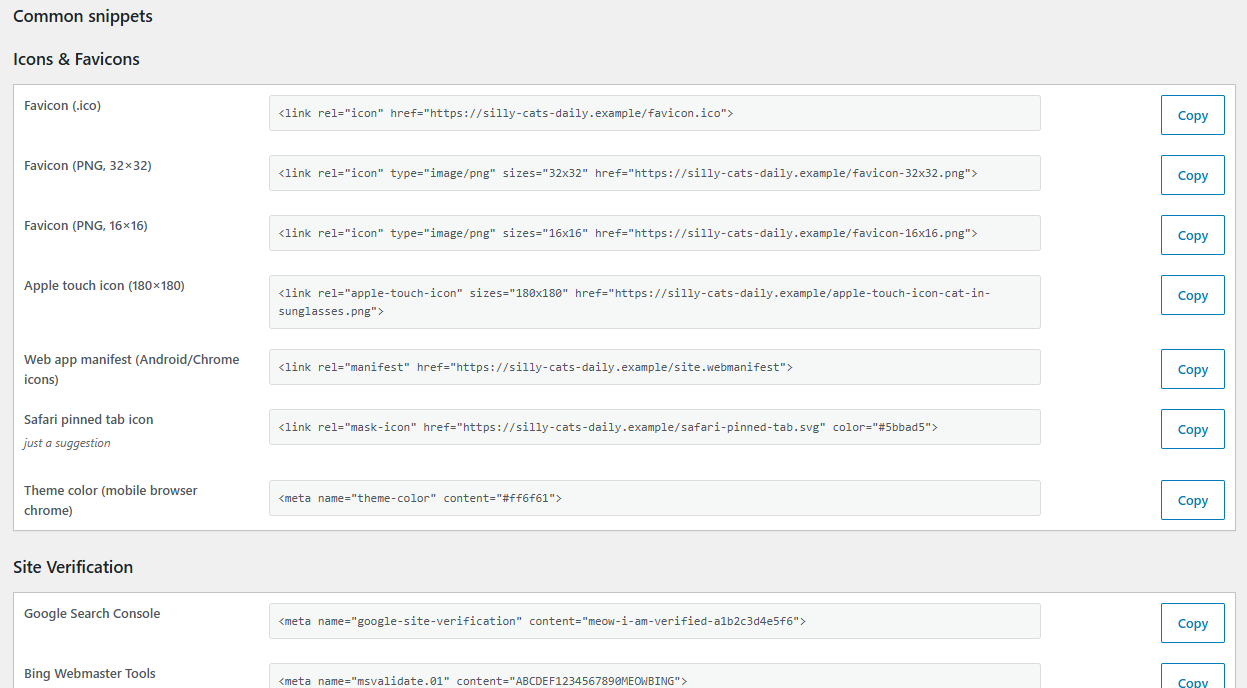
The settings page includes a small reference table: favicons, Apple touch icons, site verification meta tags for Google and Bing, the sitewide parts of Open Graph and Twitter Card, base analytics snippets, and a couple of others. Each one shows a filled-in example so you can see what it’s supposed to look like, and a Copy button that copies the same snippet with the values already emptied out — so you can paste it in and just type between the quotes, nothing to delete first.
See what’s been added, at a glance
The Posts and Pages list screens now have a Head & Foot column, so you can tell which pages have something added without opening each one.
Where to find it
- Per-page: edit any post or page, look for the “Add to Head & Foot” box below the editor.
- Sitewide: Settings → Add to Head & Foot.
Good to know
Nothing typed into any of these boxes is checked, cleaned up, or filtered in any way — it’s printed exactly as you wrote it. I trust you to know what you’re doing with the code, or at least to take the responsibility if you mess it up. Because of that, only roles trusted with unfiltered HTML (Administrators and Editors, by default) will see these boxes at all.
If you used to use Erik von Asmuth’s Per Page Add to Head, the idea for this plugin started there — it’s a plugin I relied on for years before its site and downloads disappeared. This is a fresh build, not a copy of the old code, but it owes that plugin the idea. I just added a few new features while I was at it, too.
That’s the whole plugin. One box, then another box, then a place to turn either off.
Please note that this is presented as-is with no warranty or support because I am just a guy online offering you free stuff. Refer back to the full disclaimer here.
If you find this useful I would love to know your thoughts and comments. If you are a commercial company with a large tool budget, if you want to insert this as a $200 line-item in your $50,000 expense request, I’d be grateful ’til the fat lady sings. But hey, I just hope you get some use out of it and I’d love a thank you email if you do. Contact me here.
Download Link
DOWNLOAD ETHAN’S ADD TO HEAD AND FOOT PLUGIN
Have a nice day!