




Ethan’s Block Theme CSS Customizer Plugin
Part of my Free WordPress Plugins and Themes section.
v1.1.0
Block themes took away the Customizer’s Additional CSS panel and didn’t really give you anything back in its place. The Site Editor handles colors and typography through Global Styles, but if you just want to write a plain CSS rule and see it applied instantly, there’s nowhere convenient left to do that. Listen, I know it’s buried in there somewhere, but it sucks, okay? Can we please admit that it just sucks?
This plugin puts something like that screen back, built specifically for block themes rather than trying to be a general-purpose Customizer replacement.
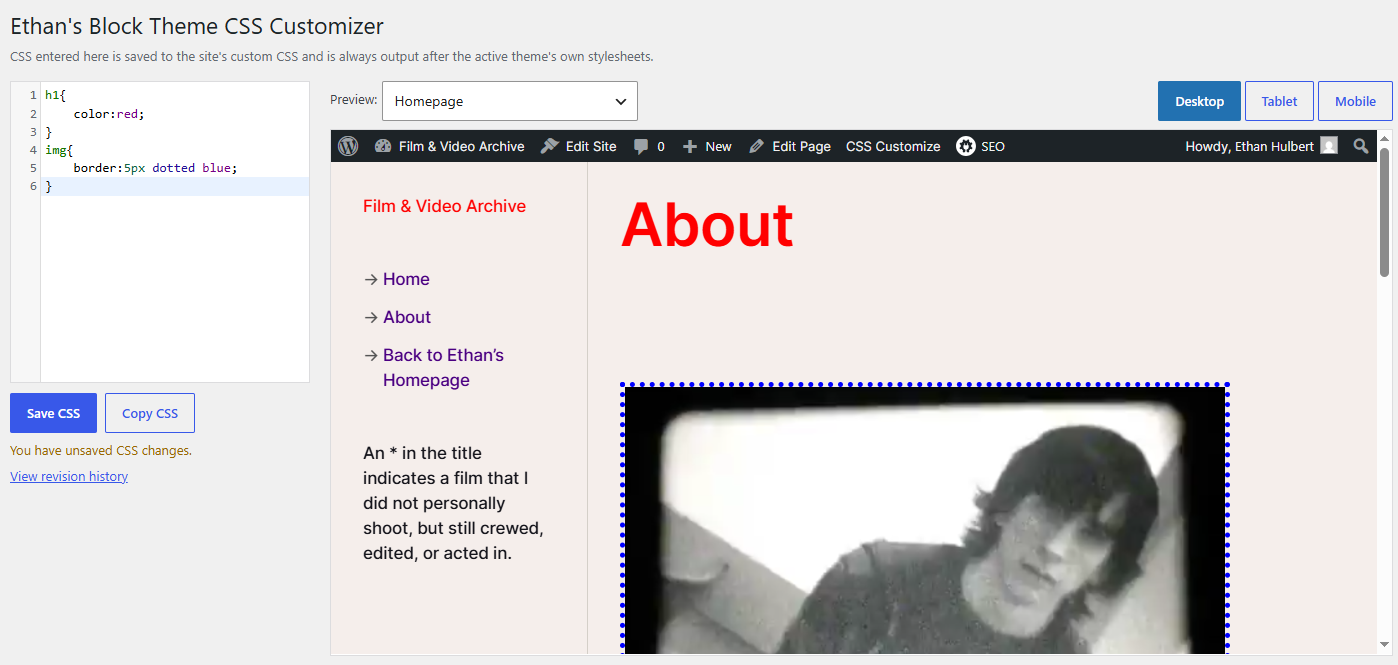
A CSS box and a live preview
Type CSS on the left, watch it apply on the right. No save-and-reload loop. The editor is the same CodeMirror box WordPress already uses elsewhere in the admin, so you get line numbers and basic CSS syntax checking.
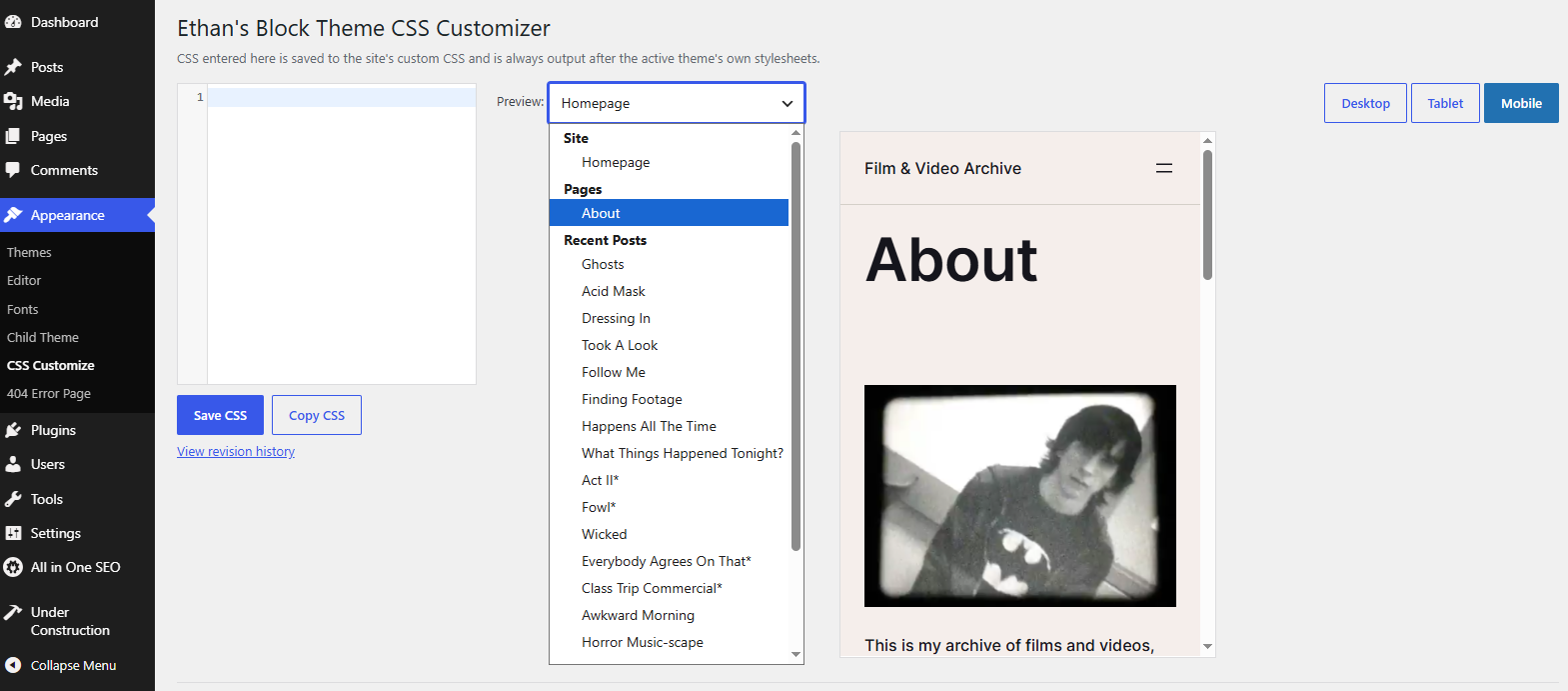
Preview any page, not just the homepage
The dropdown above the preview lists your published pages and your most recent posts, plus the homepage. Pick whichever one you’re actually trying to fix. You can also just click around inside the preview itself: internal links navigate the preview pane the way you’d expect, so pages that aren’t in the dropdown (category archives, older posts, whatever) are still reachable without leaving the screen.
External links don’t do anything when clicked. They still look and behave visually like normal links; they just won’t navigate anywhere. That’s on purpose, so nothing sends the preview pane wandering off somewhere you didn’t mean to go.
(I’m not saying it’s impossible to get around this, and in theory you could probably click into your own dashboard panel again within this preview panel and load another preview panel inside of it recursively, but just… don’t, okay? Or if you do, that’s your business.)
Desktop, tablet, mobile
Three buttons above the preview resize the pane itself, so you can check how a rule holds up at different widths without resizing your browser window.
Loads after everything else
CSS saved here goes through the same custom CSS storage WordPress has used since the Customizer’s Additional CSS panel first shipped, which means it’s printed after the theme’s own stylesheets automatically. You shouldn’t need !important just to win a styling fight.
A copy button next to Save grabs everything in the CSS box, in case you want to paste it somewhere else, back it up, or hand it to another site.
Oh and it disables the admin bar so you’re not fighting against that the whole time.
Where to find it
Once it’s active on a block theme, a “CSS Customize” link shows up in your admin bar, from both the front end and the dashboard. It won’t appear at all on a classic theme, since those already have this exact functionality built into the Customizer.
It will also show up under the Appearance menu on the admin dashboard.
Good to know
This only does anything on block themes. If your active theme is a classic theme, the plugin stays completely inactive; there’s no admin bar link, no admin page, nothing loaded. You already have the customizer screen. Why would you need this?
Saves are stored as regular WordPress post revisions, so if you’re on a site set up to keep revision history, you can look back at what the CSS looked like before your last few edits. This may be glitchy, so test it first if you think it’s something you really need.
Fuck block themes. Customizer forever.
Please note that this is presented as-is with no warranty or support because I am just a guy online offering you free stuff. Refer back to the full disclaimer here.
If you find this useful I would love to know your thoughts and comments. If you are a commercial company with a large tool budget, if you want to insert this as a $200 line-item in your $50,000 expense request, I’d be grateful ’til the stars fall from the sky for you and I. But hey, I just hope you get some use out of it and I’d love a thank you email if you do. Contact me here.
Download Link
DOWNLOAD ETHAN’S BLOCK THEME CSS CUSTOMIZER PLUGIN
Have a nice day!